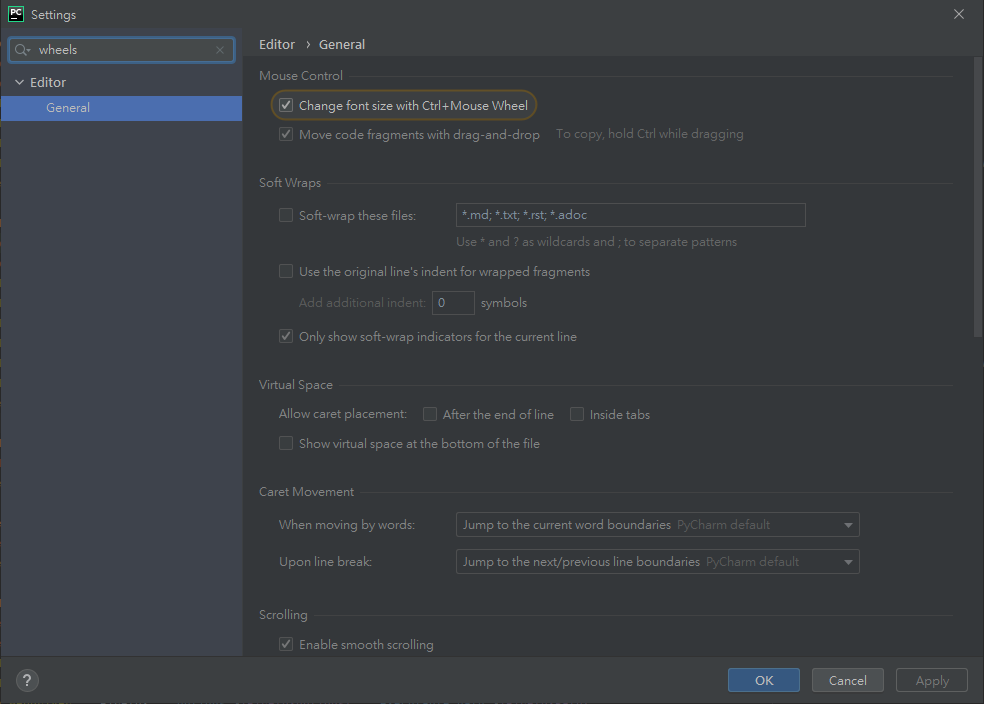
PythonPyCharm 設定By BrianHsu 04 June 2021在 PyCharm 的 File => Settings打開後 在搜尋欄位 打上 wheels就可以在 Change font size with Ctrl + Mouse Wheels 打勾然後呢~ 就可以用 Ctrl + 滑鼠滾輪 調整字體大小啦!順便一提 將 code format 快捷鍵 : Ctrl+Alt+L